
Hosted machines allow you to build, test and run attended and unattended desktop flows without providing or setting up any physical machines.

To create and use hosted machines you should have –
- A valid and working Intune and Azure Active Directory tenant.
- Intune device type enrolment restrictions are set to Allow Windows (MDM) platform for corporate enrolment.
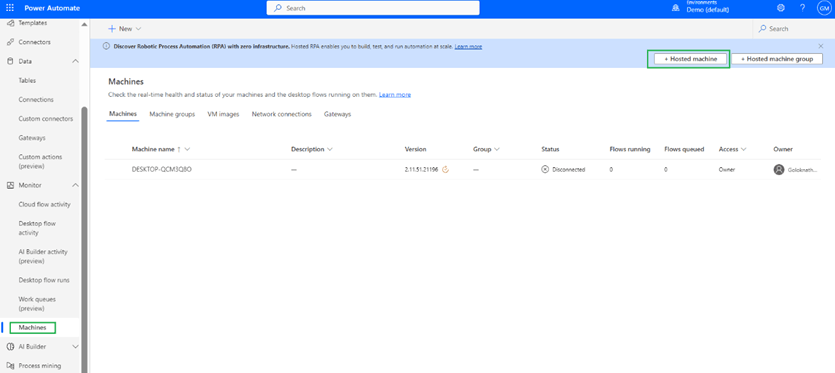
Steps to create new hosted machine – Navigate to Monitor à Machine à Hosted machine as highlighted
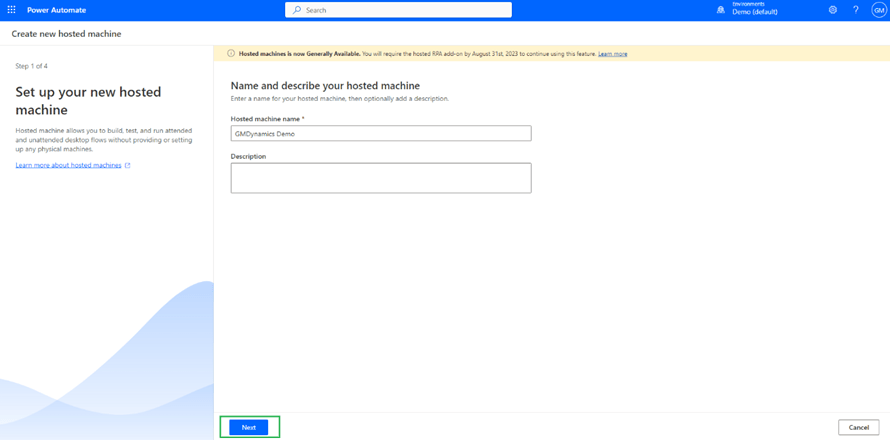
A page will display to create a new hosted machine as shown. select a name of Hosted machine and description and click next
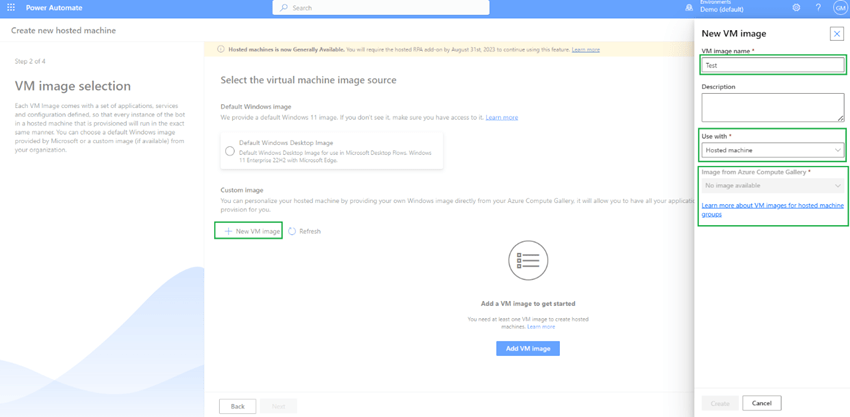
If you have any VM image available you can use or else can use default
When you click on + New VM Image you will see an option to select name along with options to use with – 1. Hosted Machine 2. Hosted Machine Group 3. Both
I have selected hosted machine but I don’t have any image available.
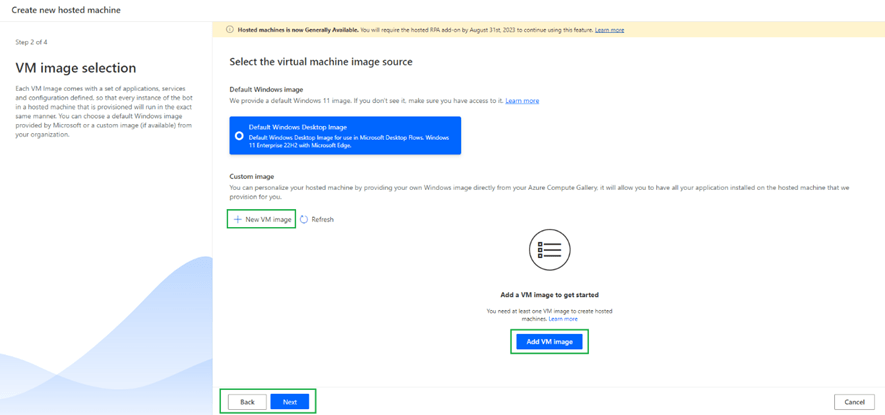
So, I have selected default windows 11 enterprise VM and then click next
If you want to add any custom network setup you can do by clicking + New network connection as shown
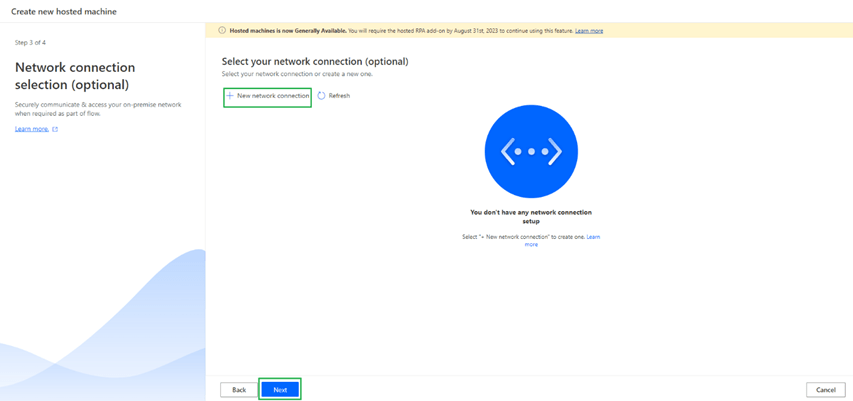
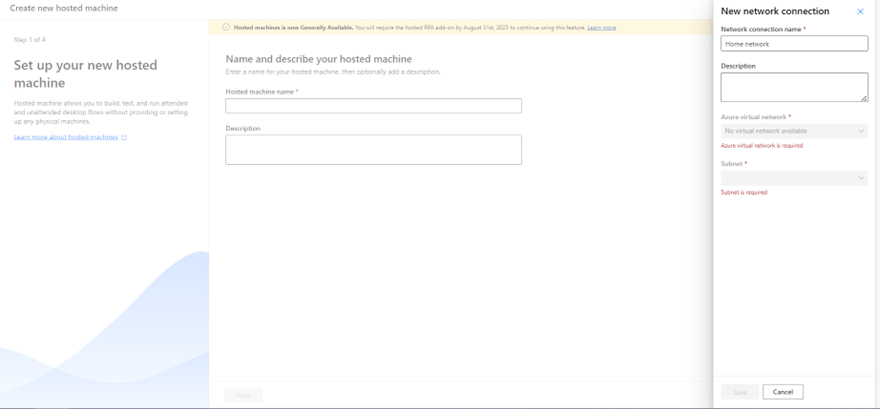
When I try to add a new network for me, I don’t have any azure virtual network as shown
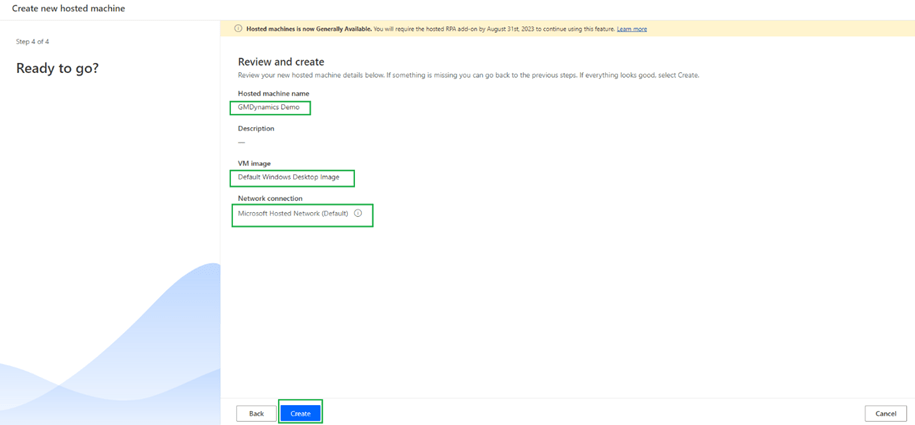
So, I have not selected any network and clicked next. If you notice default network and VM Image is selected as shown
Then you will see below during provisioning of VM as shown

Once it’s provisioned you can see the machine as below
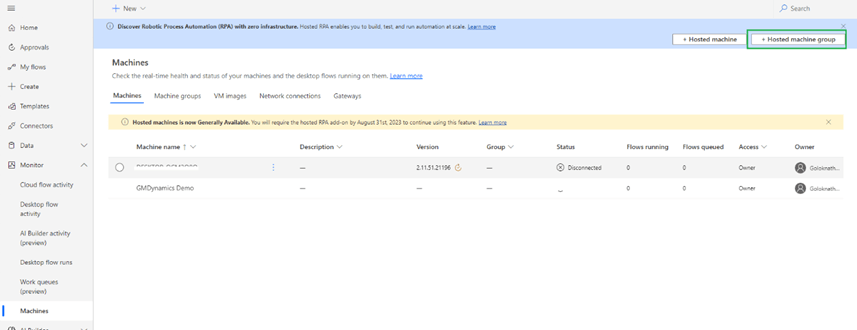
Hosted Machine groups can be created clicking on Hosted machine group as highlighted below
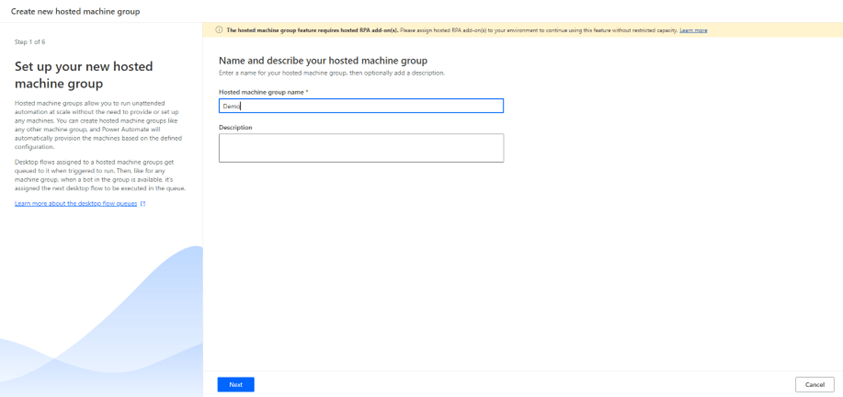
On click of Next you can see below in which you can select the feature to Re-use session.

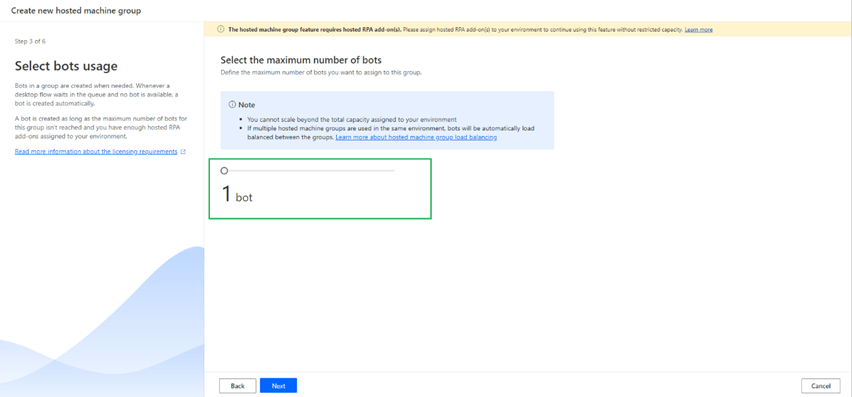
On click of next you can assign maximum number of bots you want to run on this machine group
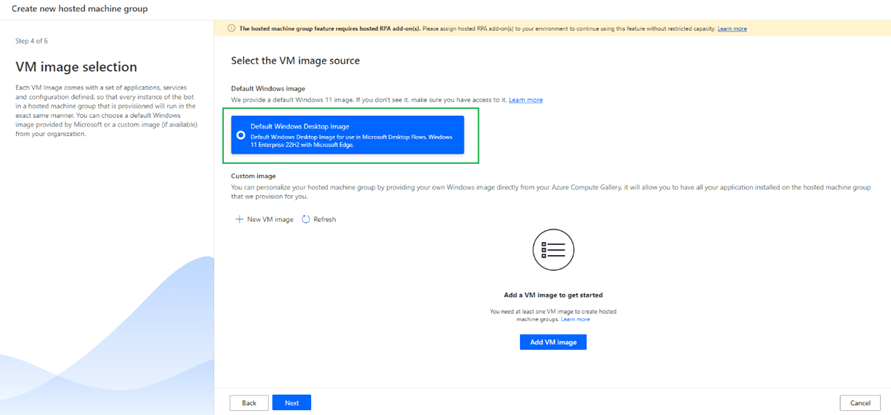
Select the VM image, I have selected default VM Image as shown
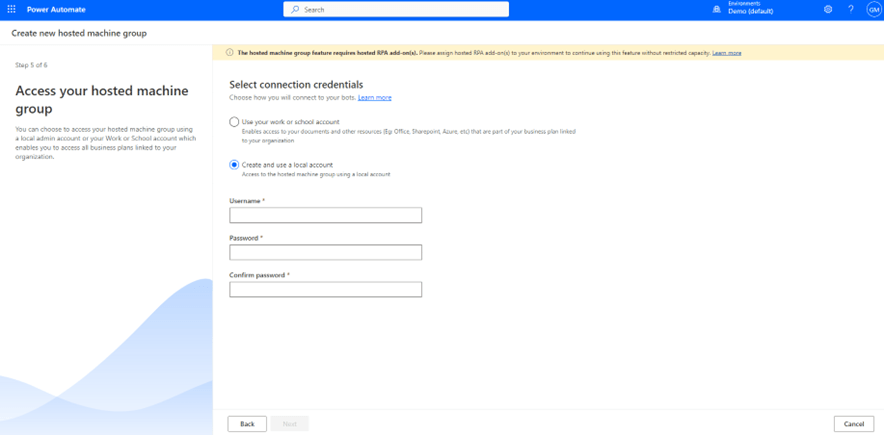
Choose how you want to connect to your bots next as shown below either you can
- use work or school account.
- Create and use local account
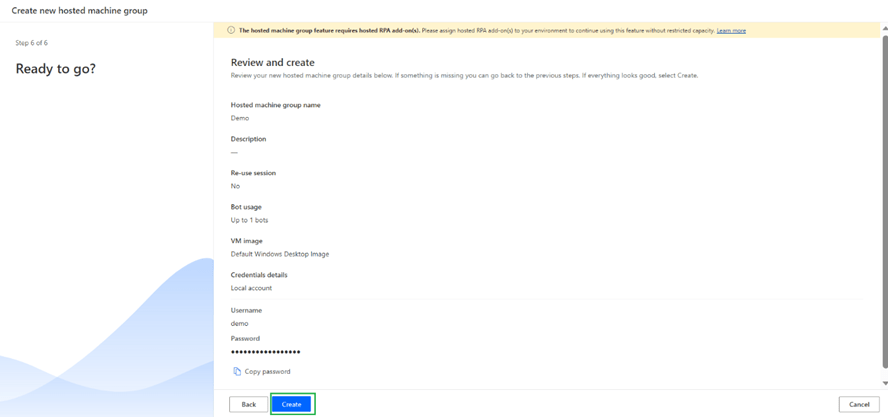
Once hosted machine groups are created you can see the status as below
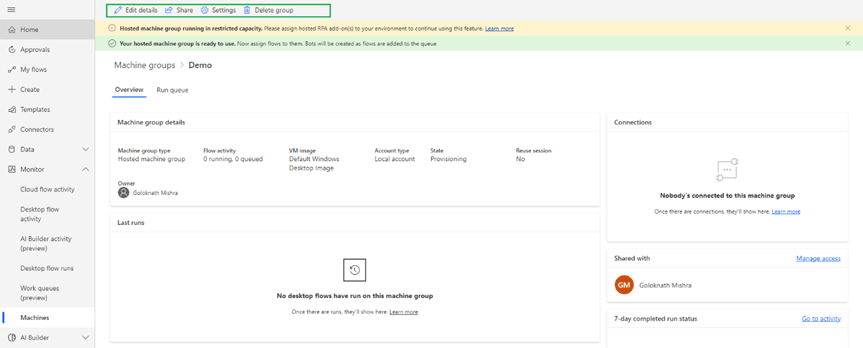
On click of share you can share hosted machine group as highlighted
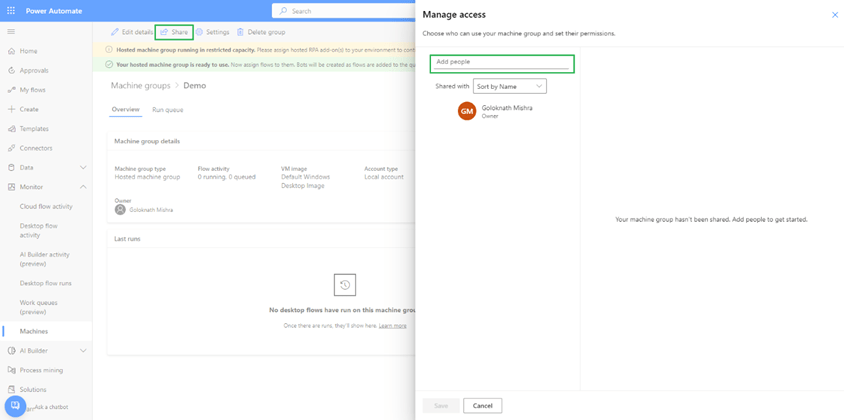
On click of settings you can select max number of bots, reuse sessions and enable maintenance mode.

You can see hosted machine group listed under machine groups as shown below
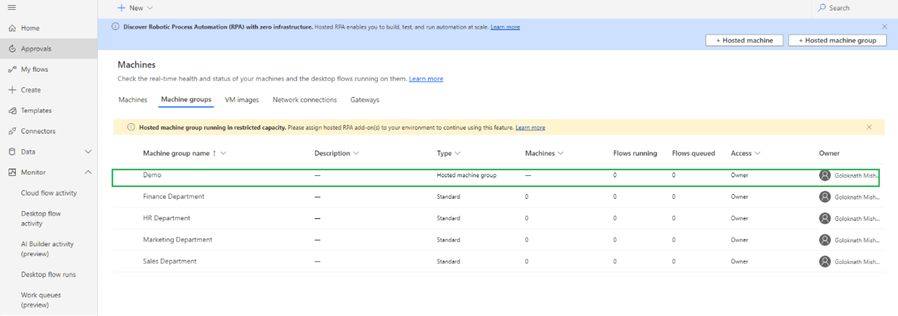
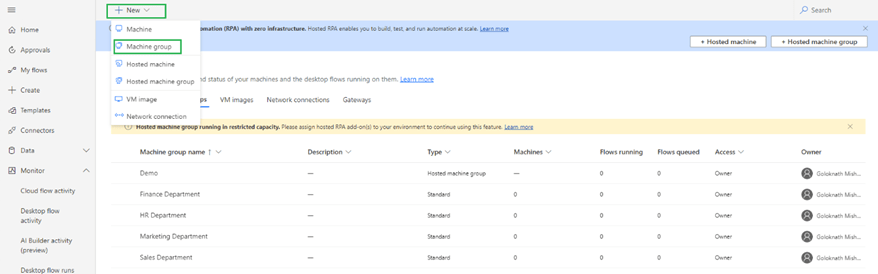
You can create new machine groups by clicking +New within machine group as highlighted below

 GM Dynamics & Agentic AI Consulting