
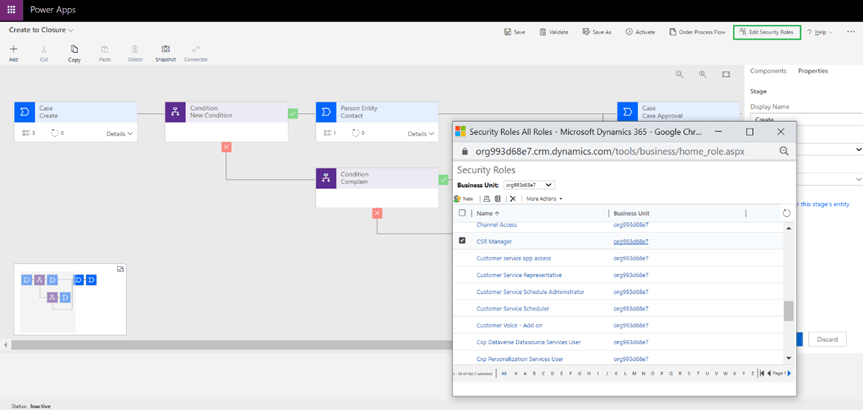
You can assign BPF based on security role by using Edit Security Role feature as shown below
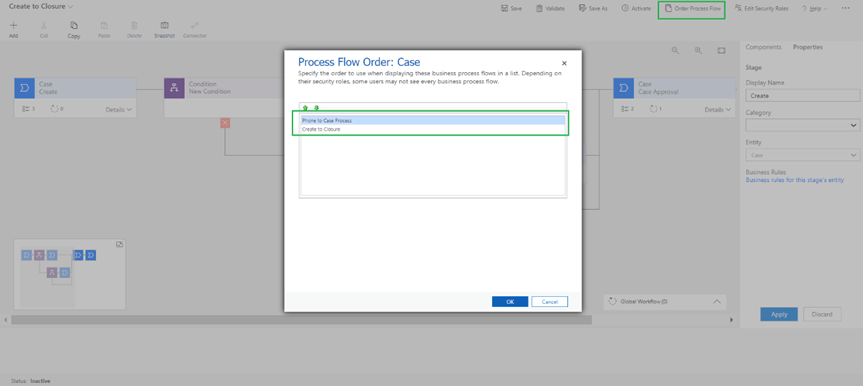
Now Case has 2 business process flow so you can select the order of BPF using order process flow button.
You can rename the BPF by expanding the workflow as shown below
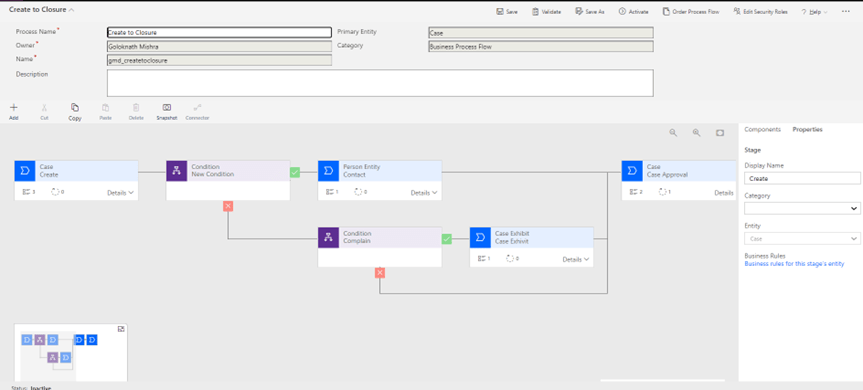
Then click on validate and activate the flow as shown below

Once the BPF is activated you will see the deactivate button in replacement for activate button

Then add the new business process flow to app as shown below
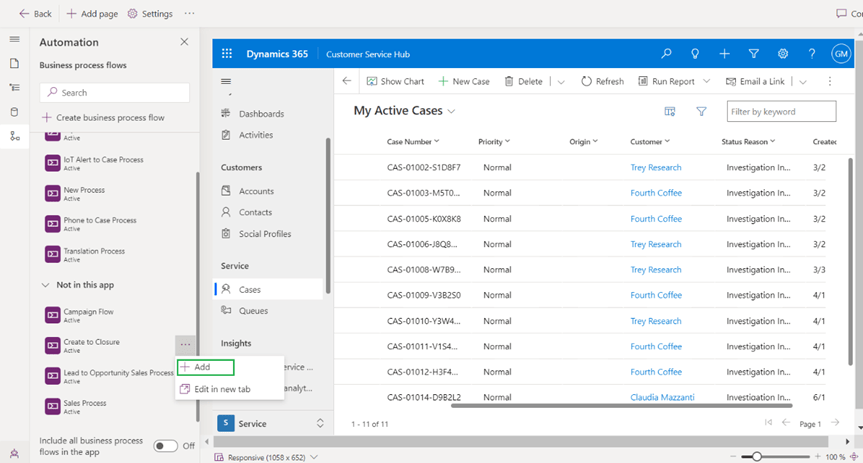
Then save and publish so that changes will take effect.
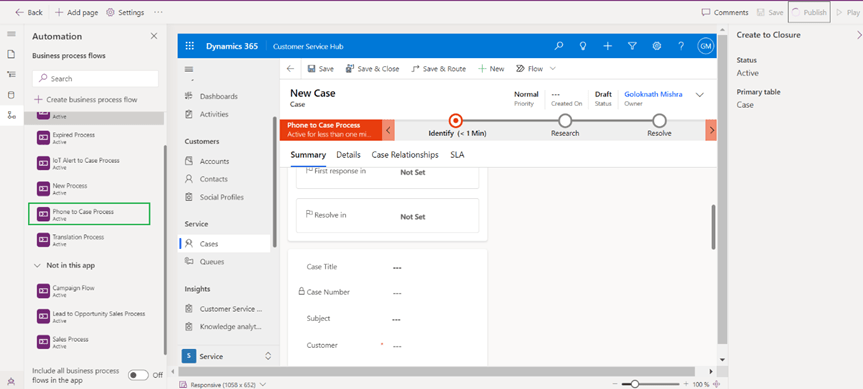
Then navigate to case form it displays the out of the box phone to case process.

Then click on process and then switch process as shown below

Dialog will pop up both the flows to switch as shown below
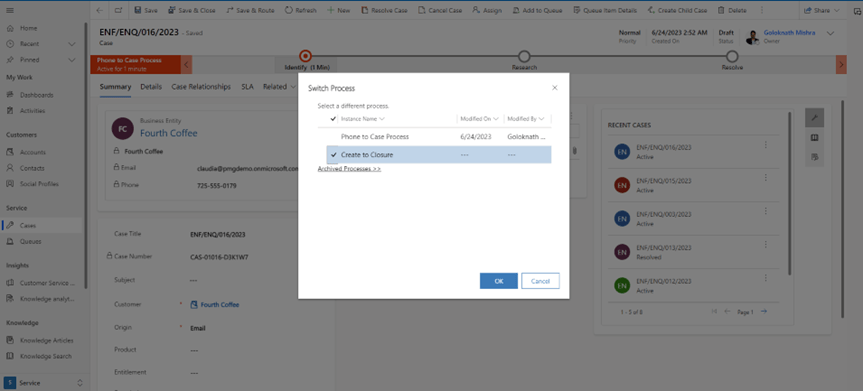
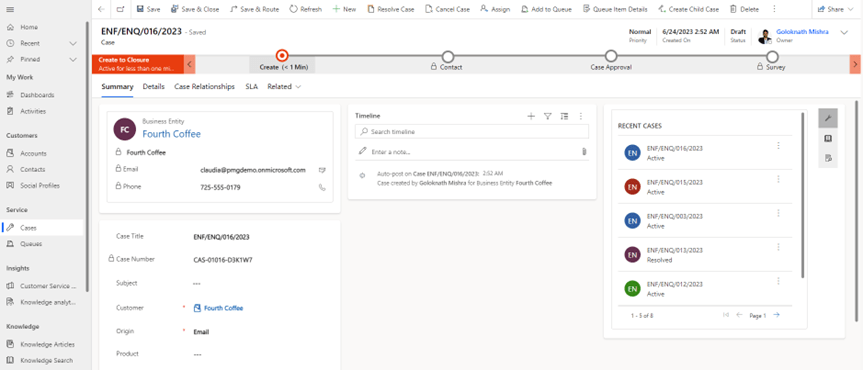
Click Ok to switch the BPF and second BPF will display

 GM Dynamics & Agentic AI Consulting