Now, makers will be able to validate the values that are going to be used in their components (such as their apps) in the target environment.
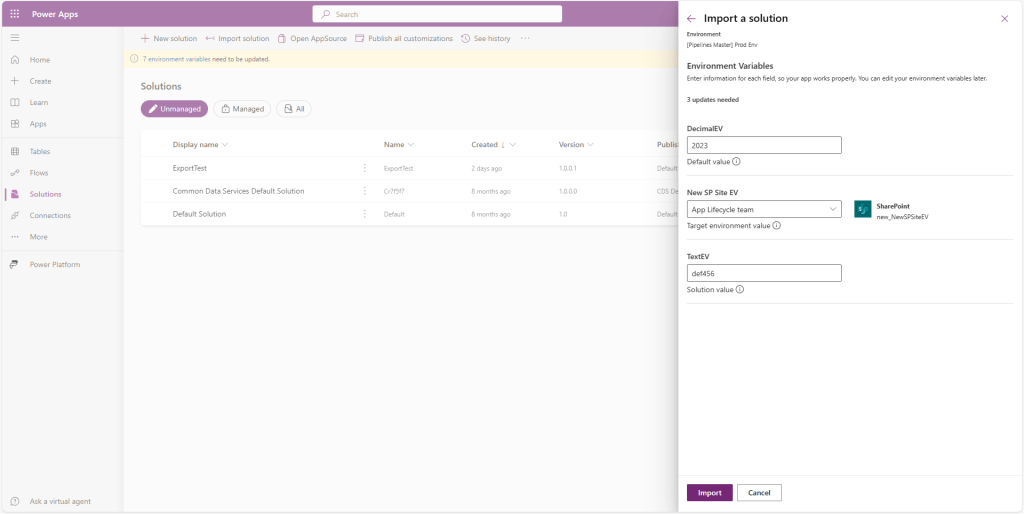
See the announcement here –

GM Dynamics & Agentic AI Consulting
Digital Transformation Redefined !!
Now, makers will be able to validate the values that are going to be used in their components (such as their apps) in the target environment.
See the announcement here –
“Approvals kit” – a kit from Power CAT that will accelerate building your approvals faster than ever – available as a public preview. Approvals kit is a no-code ready-made kit built on top of Power Platform components that allows your organization to configure sophisticated approvals such as conditional branching, delegation, admin overrides and more – all without the need to write a single code – empowering every person in your organization to “do more with less” for your organization’s approval needs.

Approvals Kit documentation https://aka.ms/ApprovalsKit : Public landing page of the kit, describes what and where approvals kit is along with usage personas and frequently asked questions.
Learn Module https://aka.ms/ApprovalsKit/Learn : Self-guided or instructor led delivery to get started using the approvals kit.
Instructor Guide https://aka.ms/ApprovalsKit/Instructor : New automated setup experience to take a group of learners through the learn module content.
Office Hours https://aka.ms/ApprovalsKit/OfficeHours : Join our regular office hours on the second Monday of each month.
Microsoft Copilot Studio, a low-code tool to customize Microsoft Copilot for Microsoft 365 and build standalone copilots. Copilot Studio is included in Copilot for Microsoft 365 and brings together a set of powerful conversational capabilities—from custom GPTs, to generative AI plugins, to manual topics—allowing you to:
Pls refer below link for announcement –
If you want to learn more about Microsoft Copilot Studio, visit these resources:
Copilot studio expanded capability to various locations, including:
Here are the key announcements from Microsoft Ignite
Pls refer details in Book of News
Let’s add an auto number field for the contact ID for which select/enter the required field information (Display name, Data type, Auto number Type, Format) as shown below

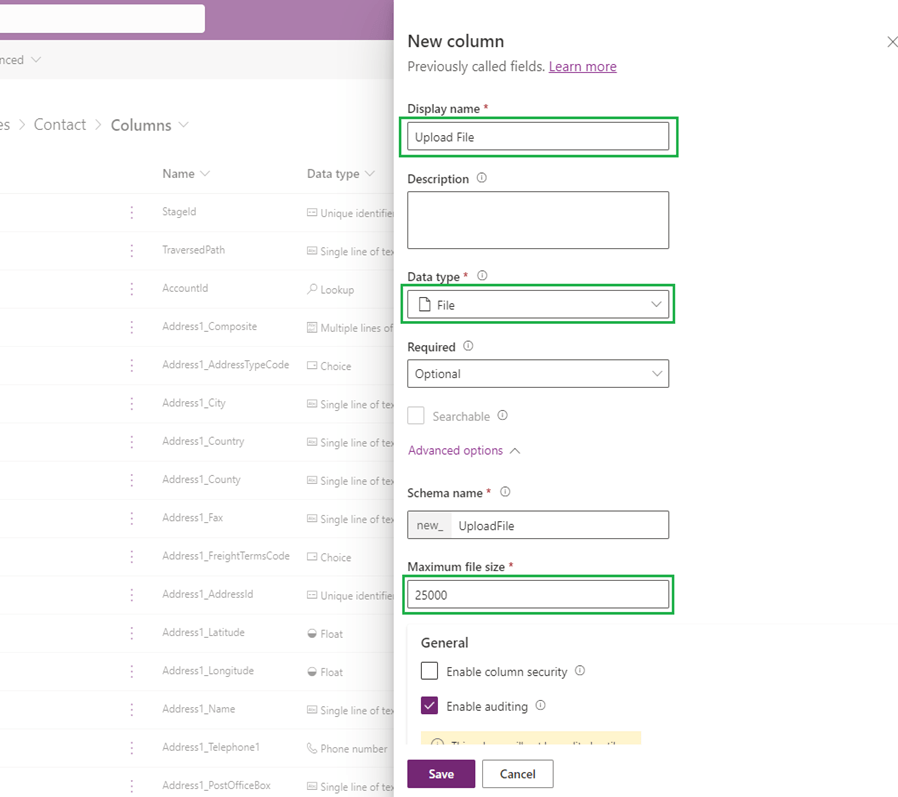
Let’s add another field type to upload file as shown below
 GM Dynamics & Agentic AI Consulting