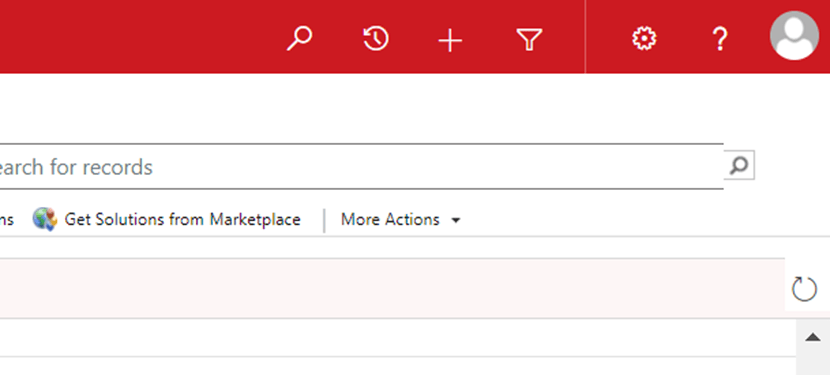
This morning I noticed advanced find is gone from UI
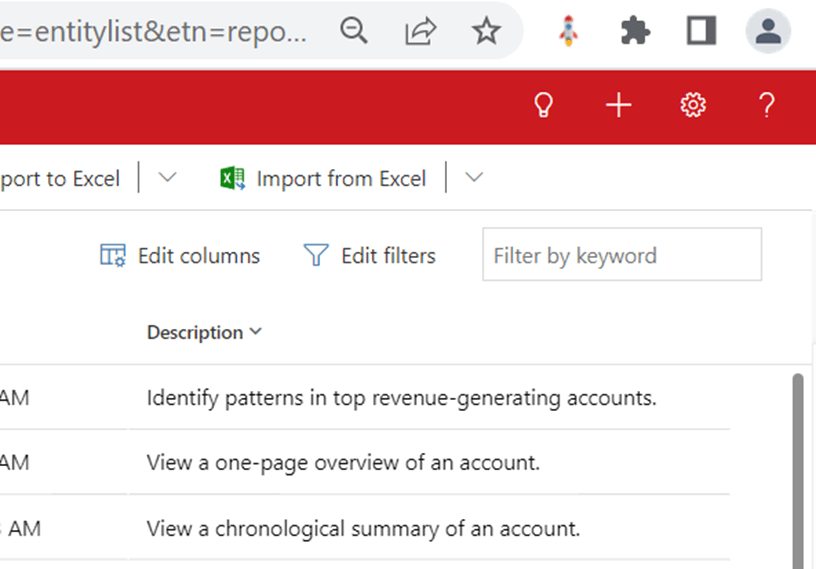
When I went to settings I can see the advanced find –

Digital Transformation Redefined !!
This morning I noticed advanced find is gone from UI
When I went to settings I can see the advanced find –
Here are some of the most commonly used sales components.
| Term | Definition |
| Account | An account represents a business or organization. Sometimes this is a customer or a vendor. In some organizations, this might be a different grouping, such as a family. Typically, an account will have related contact rows. |
| Activities | An activity is a type of table that offers tracking and scheduling options. By default, the system will have activities such as email, appointment, and phone call already configured. An administrator can add additional custom activities to meet additional business needs. |
| Business process flow | A business process flow (BPF) is a type of automation in Microsoft Power Platform. The BPF is placed on an table and offers users guidance and a predictable action plan for gathering data. Administrators can add additional automation based on triggers from the user’s interaction with the BPF. |
| Contact | A contact represents a single individual. A contact will often have many related rows such as an account and activities. |
| Customer | A customer can be either an account or a contact. Typically speaking, in a business to business scenario, this is an account. In a business to consumer scenario, this is a contact. |
| Invoice | An order or row of a sales including details about products or services purchased that has been billed to the customer. |
| Opportunity | Like a lead, an opportunity is a potential sales transaction. Typically speaking, an opportunity is a more viable prospect than a lead, and it will contain more information and be tracked for a longer period of time. |
| Order | A confirmed request for delivery of goods and services based on specified terms, or a quote that has been accepted by a customer. |
| Product catalog | A collection of rows that interact with opportunities, quotes, orders, and invoices to facilitate management of products, price lists, discounts, and product families for sales transactions. |
| Quote | A formal offer for products or services, proposed at specific prices and related payment terms to a customer. |

The above diagram shows a typical sales process which starts from Lead and ends with Invoice but business implement as per their requirement. In some business process won’t go till Invoice. It can be terminated with any interim step e.g. Lead to Opportunity Process, Quote to Order Process etc.
Please refer below sample sales process –

The Dynamics 365 product catalog consists of four components:
● Unit groups: A unit group defines how a product is packaged for sale. Among other values, it defines the units of measure that the product or service is sold in. For example, an organization that sells gaming systems might sell them individually on a crate that includes 12 individual gaming systems. An organization that provides services to customers might sell their services in increments of hours, days, or weeks.
● Products: A product represents the type of product that a company might keep in inventory, a product that’s custom-built, or a service that’s provided to a customer. For example, a beauty salon’s product list might include different hairstyling products and also services like haircuts, hair coloring, and spa services.
● Price lists: A price list is a set of prices that are charged for products under specific circumstances. For example, an organization might have multiple price lists to accommodate seasonal variations, specials, or the different markets that the organization sells to (like government, commercial, and education).
● Discount lists: A discount list lets organizations offer products or services at different prices, depending on the quantity that’s bought. For example, a small vendor that buys five TVs to sell in its store might pay $350.00 per TV, whereas a large vendor that buys 500 TVs to sell in multiple locations might pay $300.00 per TV.
Of all the components in the preceding list, only discount lists aren’t required. All other components must be set up for any organization that will use the product catalog.
Because of the way that units, discounts, and prices are linked, it’s important that you create the components in a product catalog in the following order.
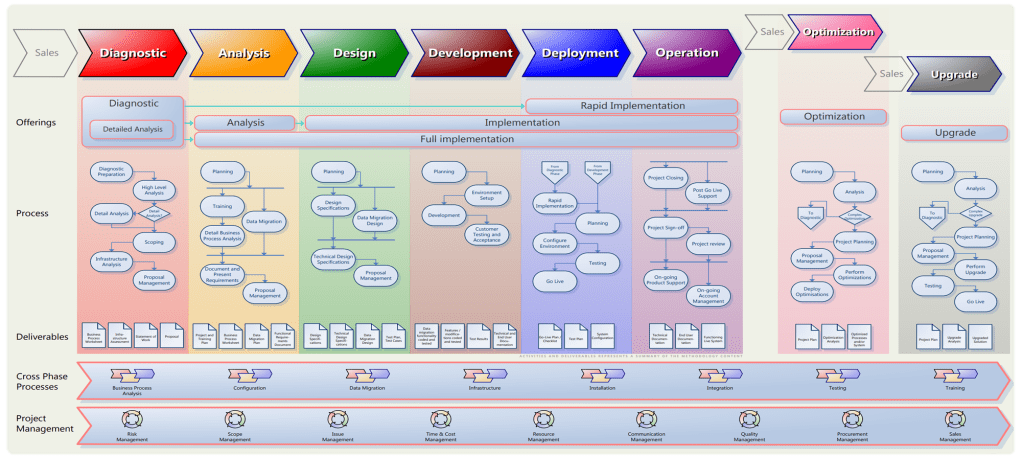
It is a best practice recommended by Microsoft. The Sure Step methodology is divided into the following phases:
| Phase | Tasks during phase |
|---|---|
| Diagnostic | Evaluate a customer’s business processes and infrastructureAssist the customer with their due diligence cycle, including ascertaining requirements and their fit with the solution, and assessing the resource needs for the solution deliveryPrepare the project plan, proposal, and the Statement of Work |
| Analysis | Analyze current business model and finalize the Functional Requirements documentFinalize the fit-gap analysisDevelop the Environment Specification documentation |
| Design | Develop the Functional Design, Technical Design, and Solution Design documentsFinalize the data migration designEstablish test criteria |
| Development | Finalize configurations and setup of the standard solutionDevelop and finalize the custom code that is required to support the solutionConduct functional and feature testing of the solutionCreate the user training documentation |
| Deployment | Set up the production environmentMigrate data to the production environmentConduct user acceptance test of the systemTrain users and finalize the user documentationConduct go-live check and promote the system to production |
| Operation | Resolve pending issuesFinalize user documentation and knowledge transferConduct a post-mortem of the projectProvide on-going support (activities that continue through any future involvement with the customer after the project is closed) |
The Sure Step methodology also provides guidance for the following areas:
| Activity area | Actions performed |
|---|---|
| Optimization | Leverage Review Offerings to determine proactively if the system is being designed and delivered optimally to meet the customer’s requirementsAnalyze the system to determine how it can be optimized for the best performance based on customer’s needs |
| Upgrade | Assess the customer’s current business processes and solutionDocument the requirements for new functionalityUpgrade the system to new release—including the addition of new functionality, promotion of existing customizations that are required, and elimination of custom code no longer required |
Please refer below diagram which clearly specifies the Sure Step Processes and phases –
 GM Dynamics & Agentic AI Consulting