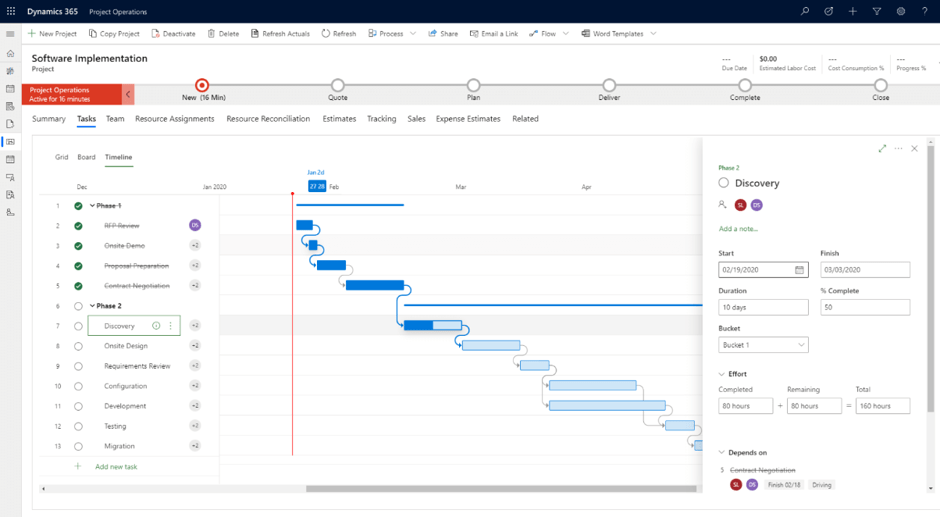
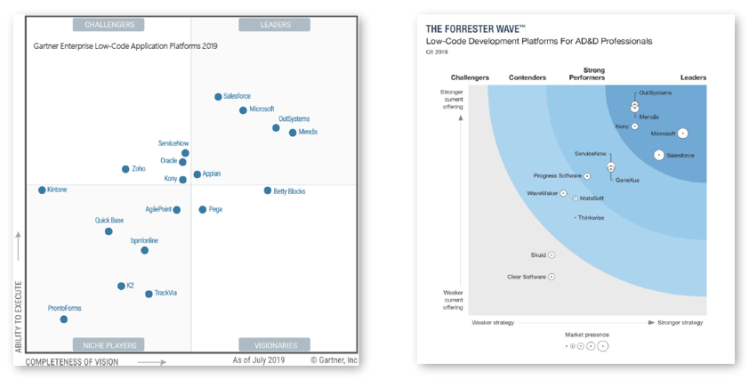
While COTS and high-cost / high control custom developed applications have a place in an enterprise market, both are being superseded by a modern, best-of-both-worlds approach known as Application Platform as a Service (aPaaS). aPaaS is a modern, cloud-based construct that allows organizations to:
1. Build applications iteratively
2. Provision app software instantly
3. Scale apps on-demand
4. Integrate with other services
Microsoft has developed this aPaaS concept as the Microsoft Power Platform, an end-to-end business application platform that includes the Common Data Service, PowerApps, Power BI, and Power Automate(RPA) technologies, and now includes Dynamics 365 applications (formerly called “CRM”) that many organizations already know. Together, these technologies fulfill the promises of aPaaS, enabling business and technology partners .
Microsoft PowerApps is the native environment for creating and interacting with end-user functionality on the platform. Developers and citizen developers alike use PowerApps to build applications that run natively in mobile, web, and desktop environments across any popular combination of devices and operating systems.
These apps are built using one of two constructs.
• Canvas apps : This allows creators to start with a blank “canvas” or template – much like creating a PowerPoint slide – and use a combination of drag-and-drop objects and simple Excel-like queries to build the app’s functionality. Just like PowerPoint, creators can run the app right in the builder as they drag, drop, and customize their way to a final product.
• Model-driven apps : This leverage existing data structures to rapidly build functionality logically organized around similar business processes, pulling in record types, views of data, charts and dashboards, and then displaying that functionality using Microsoft’s modern unified interface optimized for both desktop web and mobile consumption. Because PowerApps are built atop the CDS, their data is available to other PowerApps in the same environment, subject to the granular security model, and deployable across the enterprise.