
| SNo | Region | URL |
| 1 | North America (NAM) | crm.dynamics.com |
| 2 | United States Government Community Cloud (US GCC) High | crm.microsoftdynamics.us |
| 3 | Microsoft Cloud Germany (DEU) | crm.microsoftdynamics.de |
| 4 | China (CHN) | crm.dynamics.cn |
| 5 | South America (LATAM/ SAM) | crm2.dynamics.com |
| 6 | Canada (CAN) | crm3.dynamics.com |
| 7 | Europe, Middle East, Africa (EMEA/ EUR) | crm4.dynamics.com |
| 8 | Asia Pacific (APAC/ APJ) | crm5.dynamics.com |
| 9 | Australia (OCE) | crm6.dynamics.com |
| 10 | Japan (JPN) | crm7.dynamics.com |
| 11 | India (IND) | crm8.dynamics.com |
| 12 | North America 2 (US Gov GCC) | crm9.dynamics.com |
| 13 | United Kingdom (UK/ GBR) | crm11.dynamics.com |
| 14 | France (FRA) | crm12.dynamics.com |
| 15 | South Africa (ZAF) | crm14.dynamics.com |
| 16 | United Arab Emirates (UAE) | crm15.dynamics.com |
| 17 | Germany (GER) | crm16.dynamics.com |
| 18 | Switzerland (CHE) | crm17.dynamics.com |
| 19 | Norway (NOR) | crm19.dynamics.com |
| 20 | Singapore (SGP) | crm20.dynamics.com |
| 21 | Korea (KOR) | crm21.dynamics.com |
Category: Uncategorized
New ways to innovate with AI and Microsoft Power Automate
At Microsoft Ignite 2022, Microsoft announced some exciting innovations for Microsoft Power Automate, empowering makers and pro-coders with new ways to automate and scale enterprise-wide with AI.
Creating flows is the foundation of Power Automate, and now you can describe what you want to automate in a sentence, and an AI-based copilot will build your flow in seconds. No searching or guesswork, just describe it and let the copilot work its magic.
This new way to create flows runs on OpenAI Codex, an AI model descendant of GPT-3 that can translate natural language to code, in this case, Power Automate cloud flows. This is the same technology behind GitHub Copilot and Power Apps Ideas (preview). At launch, Microsoft supporting key Microsoft 365 connectors and in the coming months, Microsoft expand to include more.
To learn more and how to start using the copilot, see the description to flow documentation page.

Please refer below blog for more information –
New ways to innovate with AI and Microsoft Power Automate | Power Automate Blog
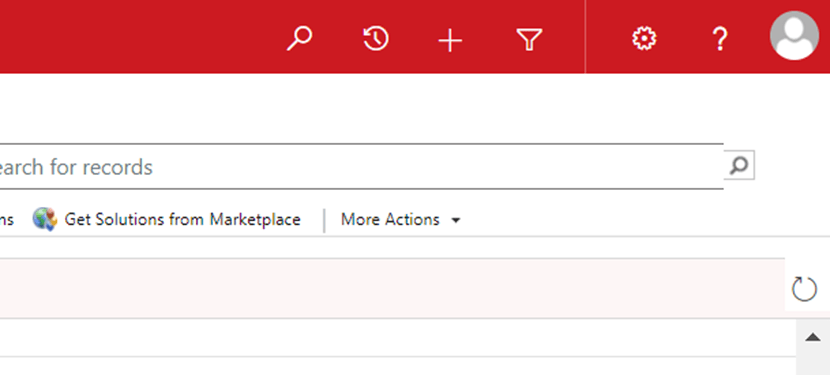
Advanced Find is now moved to Settings ONLY
This morning I noticed advanced find is gone from UI
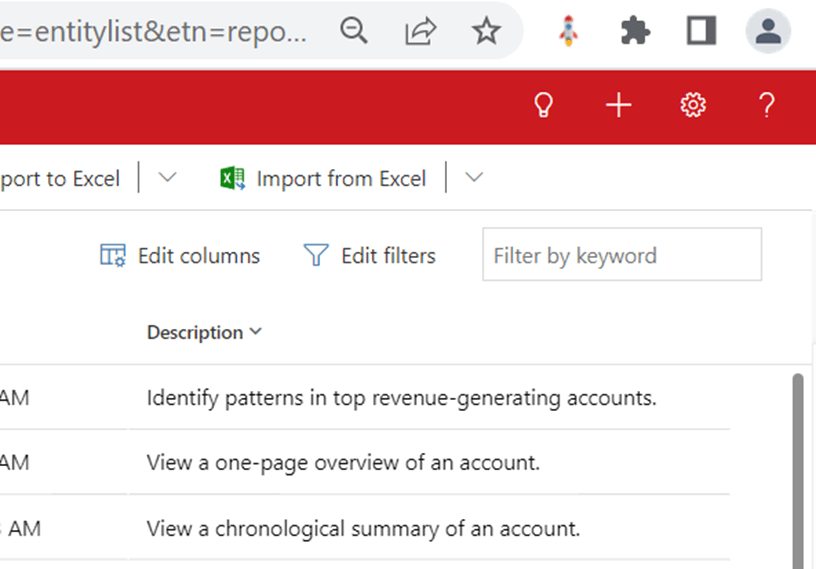
When I went to settings I can see the advanced find –
Commonly used sales Components in Dynamics 365 Sales
Here are some of the most commonly used sales components.
| Term | Definition |
| Account | An account represents a business or organization. Sometimes this is a customer or a vendor. In some organizations, this might be a different grouping, such as a family. Typically, an account will have related contact rows. |
| Activities | An activity is a type of table that offers tracking and scheduling options. By default, the system will have activities such as email, appointment, and phone call already configured. An administrator can add additional custom activities to meet additional business needs. |
| Business process flow | A business process flow (BPF) is a type of automation in Microsoft Power Platform. The BPF is placed on an table and offers users guidance and a predictable action plan for gathering data. Administrators can add additional automation based on triggers from the user’s interaction with the BPF. |
| Contact | A contact represents a single individual. A contact will often have many related rows such as an account and activities. |
| Customer | A customer can be either an account or a contact. Typically speaking, in a business to business scenario, this is an account. In a business to consumer scenario, this is a contact. |
| Invoice | An order or row of a sales including details about products or services purchased that has been billed to the customer. |
| Opportunity | Like a lead, an opportunity is a potential sales transaction. Typically speaking, an opportunity is a more viable prospect than a lead, and it will contain more information and be tracked for a longer period of time. |
| Order | A confirmed request for delivery of goods and services based on specified terms, or a quote that has been accepted by a customer. |
| Product catalog | A collection of rows that interact with opportunities, quotes, orders, and invoices to facilitate management of products, price lists, discounts, and product families for sales transactions. |
| Quote | A formal offer for products or services, proposed at specific prices and related payment terms to a customer. |
Standard Sales Process in D365 Sales

The above diagram shows a typical sales process which starts from Lead and ends with Invoice but business implement as per their requirement. In some business process won’t go till Invoice. It can be terminated with any interim step e.g. Lead to Opportunity Process, Quote to Order Process etc.
Please refer below sample sales process –


