Bringing end-to-end visibility with screen recording in Dynamics 365
(A unified capability for Dynamics 365 Customer Service and Dynamics 365 Contact Center that captures an agent’s on-screen workflow to provide context beyond just voice and text.)
Real-time User Journey
This journey illustrates how screen recording helps resolve a complex “process” dispute where a transcript alone wasn’t enough:
Complex Interaction: An agent assists a customer with a high-value insurance claim. The interaction involves navigating three different internal legacy systems and a knowledge base.
Triggered Recording: As soon as the agent accepts the call in the Contact Center, the screen recording starts automatically (or is manually toggled by the service rep).
Visual Workflow: The agent hits a snag in the legacy system, leading to a delay. They search for a workaround in the knowledge base, which the recording captures.
Secure Upload: Upon ending the session, the recording is automatically and securely uploaded to Microsoft Dataverse, linked directly to the specific conversation and case record.
Quality Evaluation: A supervisor reviews the “Critical Failure” flagged by the Quality Evaluation Agent. While the transcript sounds professional, the Screen Recording shows the agent bypassed a mandatory compliance checkbox in the internal system.
Targeted Coaching: The supervisor uses the video to show the agent exactly where they deviated from the process, using the recording as a visual training tool to prevent future errors.
Step-by-Step: How to Enable This Feature
Administrators can enable and govern this feature within the admin center settings:
Step 1: Admin Center Access
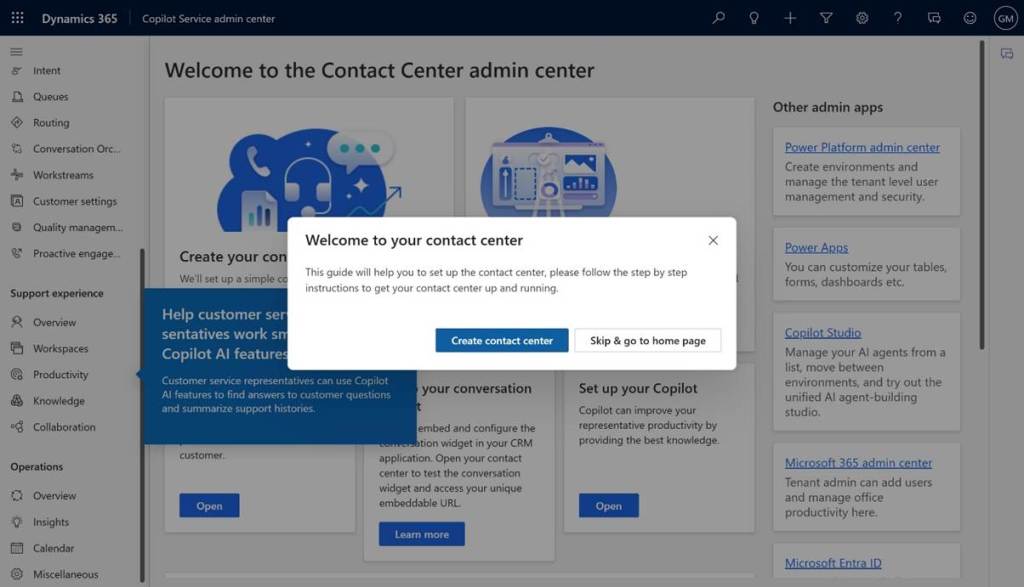
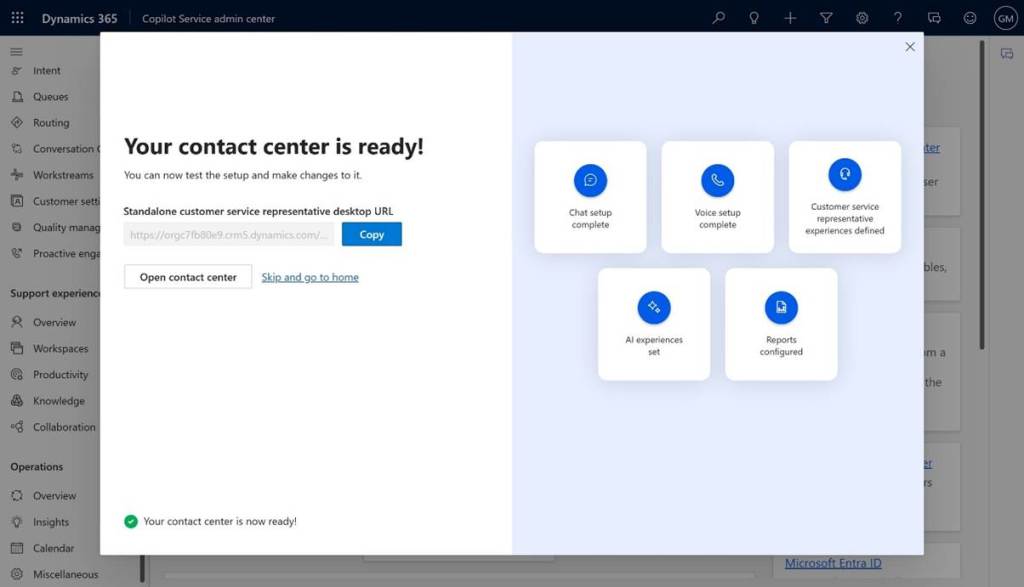
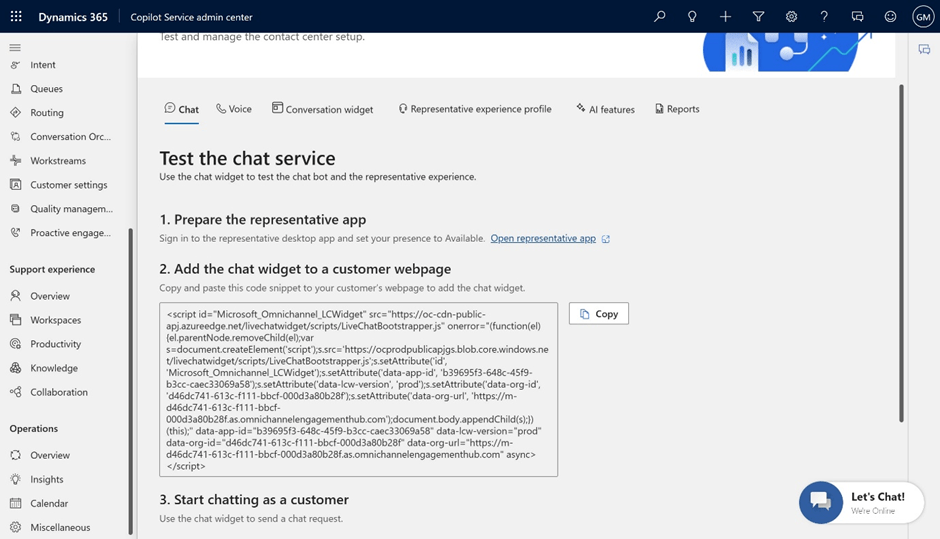
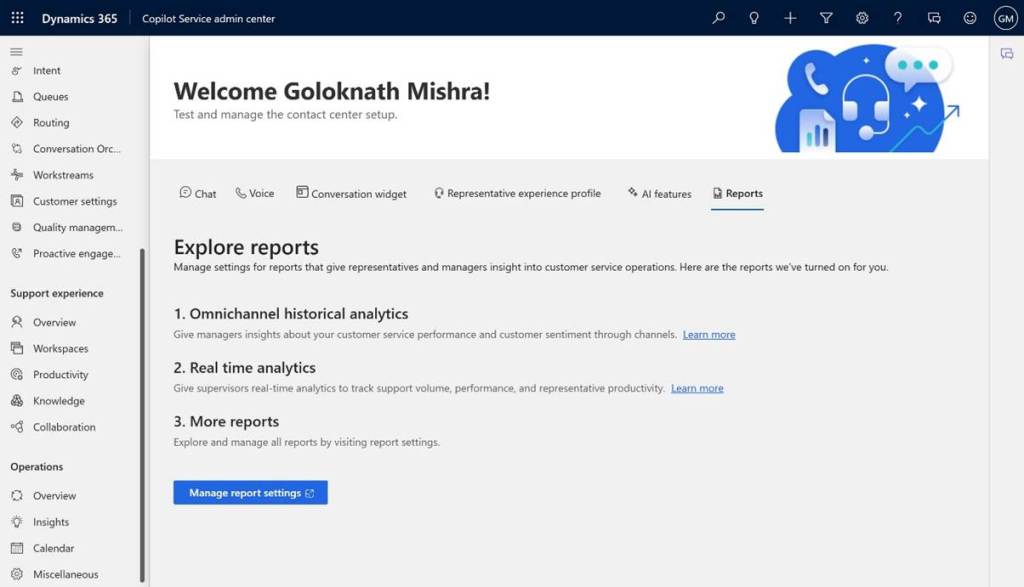
Sign in to the Customer Service admin center or Contact Center admin center.
Step 2: Navigate to Recording Settings
Go to Operations > Insights > Call and Screen Recording.
Step 3: Enable Screen Recording Controls
Toggle the “Enable screen recording” switch to On. You can choose to enable this for “Voice Conversations” (automatic) and “Other Workloads” (manual toggle for agents).
Step 4: Configure Storage & Governance
Ensure your Dataverse storage is configured to handle video files. Set the Retention Policy (e.g., “Delete screen recordings after 90 days”) to align with your regional compliance laws.
Step 5: Set Role-Based Access (RBAC)
In the Security Roles section, assign the “Screen Recording Viewer” or “Manager” roles only to authorized supervisors and compliance officers. This ensures that sensitive on-screen data is protected.
Step 6: Deploy to Workspace
Go to Agent Experience Profiles and ensure the “Screen Recording” component is visible in the agent’s live conversation widget or productivity pane.
2026 Release Wave 1: Transforming Business Processes with Agentic AI
(A comprehensive roadmap detailing hundreds of new capabilities across Dynamics 365, Power Platform, and Copilot Studio, focusing on autonomous agents and “human-in-the-loop” productivity.)
Real-time User Journey: The Autonomous Supply Chain
While the release covers many areas, the “Autonomous Procurement” journey is a primary highlight of this wave:
Inventory Anomaly: An Autonomous Supply Chain Agent identifies a predicted shortage of a critical component due to a regional weather event.
Market Research: The agent proactively researches alternative suppliers in the Microsoft Dataverse and via the web, comparing lead times and carbon footprints.
Drafting the Plan: The agent drafts a procurement plan, including a pre-filled purchase order for a new supplier that meets all sustainability criteria.
Human-in-the-loop Approval: The Procurement Manager receives a notification in Microsoft Teams. They open the Copilot sidecar, review the agent’s reasoning, and approve the order with one click.
Execution & Tracking: The agent submits the order, updates the ERP, and begins tracking the shipment, providing the manager with real-time risk updates as the weather event progresses.
Resolution: The factory avoids a production halt, and the manager spends their day on strategic supplier relationships rather than manual order tracking.
Step-by-Step: How to Enable Wave 1 Features
Release wave features are rolled out in stages. Here is how to manage and enable them:
Step 1: Access the Release Planner
Visit the Microsoft Release Planner to see the specific dates for each feature (General Availability vs. Public Preview).
Step 2: Enable Early Access
Sign in to the Power Platform Admin Center. Go to Environments > [Your Environment] > Settings > Updates. Click “Manage” and select “Update now” to enable the 2026 Wave 1 early access features in a sandbox environment.
Step 3: Configure New Autonomous Agents
Navigate to the Agent Hub within Dynamics 365 or Copilot Studio. Locate the new pre-built agents (e.g., Sales Research Agent or Case Management Agent) and toggle them to Enabled.
Step 4: Update App Profiles
Go to Agent Experience Profiles and ensure the new Copilot Pane and Multi-session companion features are added to your users’ workspaces.
Step 5: Define Knowledge Sources
In Copilot Studio, point your agents to the updated Microsoft Fabric or Dataverse connectors to ensure they are using your latest enterprise data for their “Agentic” reasoning.
Step 6: Monitor Performance
Use the newly released AI Evaluation Dashboards to measure the accuracy and ROI of the Wave 1 features as they are rolled out to production.
Infographic: 2026 Release Wave 1 Pillars
Pillar
Key Focus
Featured Capabilities
Agentic AI
Moving from “assist” to “act.”
Autonomous Sales, Service, and Supply Chain Agents.
Unified Data
Breaking silos with Dataverse + Fabric.
Real-time insights, zero-copy data sharing, and AI “Memory.”
Copilot Studio
Empowering makers to build agents.
Visual agent designer, advanced orchestration, and safety guardrails.
Integrated Workspace
Embedding AI where you work.
Native AI in Teams, Outlook, and the new Desktop Companion App.
Governance
Trustworthy and secure AI.
AI Evaluation frameworks, sensitive data redaction, and audit logs.
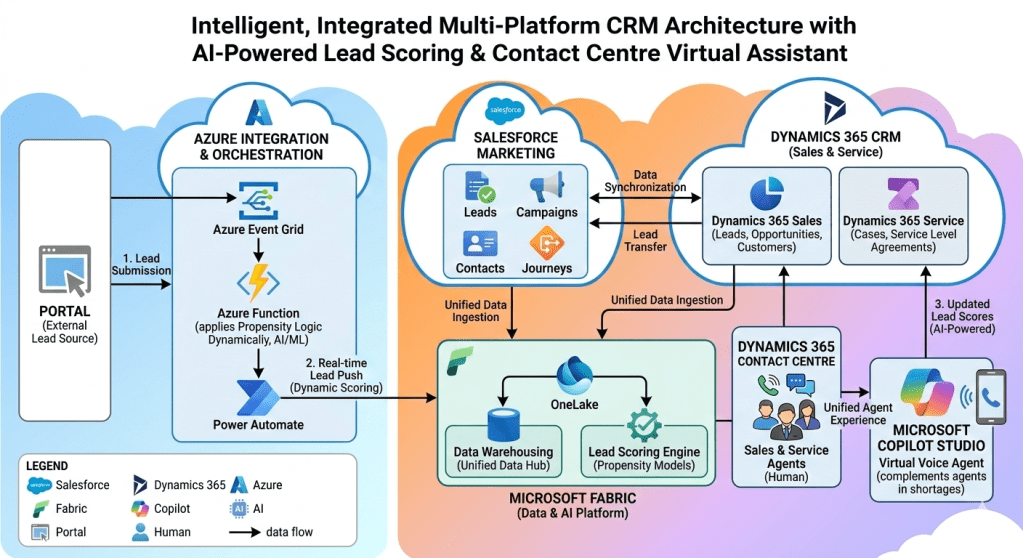
This architecture addresses the common organizational challenge of fragmented customer journeys by integrating leading multi-cloud and multi-SaaS platforms—specifically Salesforce Marketing Cloud and the Microsoft Dynamics 365 CRM suite—underpinned by a unified intelligence layer powered by Microsoft Azure and Microsoft Fabric.
The primary objective of this architecture is to transition the organization from a reactive business model to a proactive, predictive one. It achieves this by creating real-time intelligence loops for lead scoring, ensuring data consistency across disparate platforms, and optimizing customer interaction through a hybrid, scalable Contact Center model that seamlessly combines human expertise with AI-driven virtual assistance. This documentation provides a deep technical review of each component, their connections, and the resulting intelligent workflows.
1. Architectural Components Breakdown
The diagram divides the architecture into logical zones. This section provides a granular analysis of the individual components within these zones.
1.1 The External Facing Layer
1.1.1 PORTAL (External Lead Source):
Description: This component represents any digital entry point that is external to the core CRM ecosystem. This includes, but is not limited to, the corporate website, dedicated marketing landing pages, customer portals, third-party lead generation websites, and mobile applications.
Functionality: It serves as the initial customer-facing interface. It captures lead-specific data—such as contact information, interest vectors, behavioural signals, and preferences—via forms, API calls, or tracked interactions.
Architectural Role: The Portal is an event producer. It captures the initial “signal” of potential business and transmits it immediately to the integration layer, decoupling the customer experience from the internal processing time.
1.2 The Real-time Ingestion & Orchestration Layer (Microsoft Azure)
This zone is critical for the “real-time” promise of the architecture. It converts a batch-oriented lead ingestion process into a dynamic, event-driven workflow.
1.2.1 Azure Event Grid:
Description: A highly scalable, serverless event routing service.
Functionality: It subscribes to events published by the Portal (e.g., a “Lead Created” event). When an event occurs, Event Grid routes the event payload to its configured subscriber(s). It handles high-throughput traffic and ensures reliable delivery with retry policies.
Architectural Role: The architecture utilizes Event Grid as the core asynchronous messaging backbone. It decouples the Portal from the subsequent heavy processing in the Azure Function, allowing the Portal to remain highly responsive.
1.2.2 Azure Function:
Description: A serverless, compute-on-demand platform. The diagram indicates it is an AI/ML capable function.
Functionality: This is the core intelligence component for real-time ingestion. It executes code (likely in Python, C#, or Java) triggered specifically by the Event Grid message.
Dynamic Propensity Logic (AI/ML): The diagram highlights that this function “applies Propensity Logic Dynamically, AI/ML.” This is a crucial distinction from traditional scoring. In real-time, the function:
Validates and cleans the incoming lead data.
Ingests real-time context (e.g., current webpage, referring URL).
Calls a lightweight, pre-trained AI model (perhaps hosted within Azure Machine Learning) that analyses these real-time signals alongside initial lead attributes.
Determines a real-time propensity score (likelihood to convert) immediately during ingestion. This score is used to decide the next immediate action (e.g., high-priority routing, suppression, or a tailored message).
Architectural Role: It is the active, stateless processor that infuses intelligence at the very start of the customer journey, making the system reactive to current customer behaviour.
1.2.3 Power Automate:
Description: A low-code/no-code workflow automation service (part of the Power Platform).
Functionality: Power Automate acts as the low-code ETL (Extract, Transform, Load) and orchestration layer. It is triggered by the completion of the Azure Function’s logic. It takes the enriched, intelligently scored lead payload and performs the necessary actions to insert/upsert the lead into the target system (Dynamics 365 Sales).
Architectural Role: It provides the connection glue and operational flow logic. It abstracts complex API interactions with Dynamics 365 into visual, manageable workflows, ensuring that lead injection is robust and retry-capable.
1.3 The Multi-Cloud Engagement Layer (CRM & Marketing Clouds)
This zone represents the operational heart of the system, where business teams interact with customer data. The architecture deliberately utilizes a “best-of-breed” approach by integrating Salesforce and Dynamics 365.
Description: A specialized platform for marketing automation, customer journey management, and personalized cross-channel communications.
Components: The diagram explicitly lists:
Leads: For managing top-of-funnel marketing prospects.
Campaigns: For orchestrating marketing initiatives across email, social, web, etc.
Contacts: For managing unified marketing-specific customer records.
Journeys: (e.g., Journey Builder) For designing and automating multi-step customer engagement paths based on behavioural triggers.
Architectural Role: Salesforce Marketing is the specialized “system of engagement” for marketing teams. Data synchronization ensures it operates with accurate customer profiles, while lead transfer mechanisms ensure marketing-qualified leads (MQLs) are pushed to Sales.
1.3.2 DYNAMICS 365 CRM (Sales & Service):
Description: The operational CRM suite focused on salesforce automation and customer service management.
Dynamics 365 Sales: Focused on opportunity management and sales cycles. It manages:
Leads: (Operational Sales Leads) For qualifying prospects ingested via Azure.
Opportunities: Track potential deals.
Customers: Define unified Account/Contact records post-conversion.
Dynamics 365 Service: Focused on post-sale support and case management. It manages:
Cases: Track support requests.
Service Level Agreements (SLAs): Manage service commitments.
Architectural Role: Dynamics 365 is the “system of record” for the sales and service operations. It provides a structured workspace for agents and sales reps, built natively within the Microsoft ecosystem for tight integration with Fabric and Azure.
1.4 The Unified Intelligence Layer (Microsoft Fabric)
This zone is the analytical engine and the “brain” of the entire architecture. It unifies disparate data sources into a single logical intelligence platform.
1.4.1 MICROSOFT FABRIC (Data & AI Platform):
Description: A comprehensive, unified analytics platform that brings together data integration, data warehousing, and advanced AI. It operates as a Data Lakehouse.
OneLake: (The Data Lakehouse storage) This is the core logical data lake, providing a single location to store all organizational data (structured and unstructured). It is built on open standards (Parquet/Delta Lake format). All data ingestion processes target OneLake, breaking down storage silos.
Data Warehousing (Unified Data Hub): This component utilizes the Synapse Data Warehouse engine (or similar T-SQL engine) running directly on top of the OneLake data. It provides the analytical, structured query layer for unified reporting, dashboarding, and complex data unification tasks (e.g., merging Salesforce and Dynamics profiles).
Lead Scoring Engine (Propensity Models):
Description: This engine hosts and executes complex, historical-data-driven machine learning models (different from the real-time model in the Azure Function).
Functionality: It ingests the unified, historical customer data from OneLake (marketing interactions from Salesforce, sales history and service case history from Dynamics 365). It trains and executes sophisticated models (e.g., deep neural networks, tree-based models) to generate comprehensive predictive lead scores.
AI-Powered Refinement: This engine generates the most accurate, predictive score, looking beyond current interaction context to historical patterns across the entire unified customer lifecycle.
Architectural Role: Microsoft Fabric provides the organizational “system of intelligence.” It consolidates the unified view of the customer and acts as the source of refined, advanced AI models and predictive analytics.
1.5 The Modern Interaction Layer (Contact Center)
This zone describes how the organization interacts with customers, optimized for scale and intelligence.
1.5.1 DYNAMICS 365 CONTACT CENTRE:
Description: The unified agent desktop experience for managing multi-channel communications (voice, chat, digital messaging) within Dynamics 365.
Sales & Service Agents (Human): These are skilled human agents working within the unified Dynamics interface. They handle complex issues, strategic sales opportunities, and situations requiring human empathy. The contact center provides them with context-rich workspaces, drawing customer data directly from Dynamics 365 Sales and Service.
1.5.2 MICROSOFT COPILOT STUDIO (Virtual Voice Agent):
Description: A conversational AI platform (formerly Power Virtual Agents) that enables the creation of powerful, low-code virtual assistants, with specific emphasis here on the ‘Voice Agent’ capability.
Functionality: This is a Generative AI-driven virtual voice agent. It:
Ingests inbound voice calls.
Utilizes natural language understanding (NLU) and large language models (LLMs) to converse with users.
Accesses data from Dynamics 365 (and potentially Fabric/OneLake shortcuts) to personalize interactions (e.g., lookup lead status, check current cases).
Complementing agents in shortages: This is the critical operational role. Copilot:
Handles tier 1 support and common inquiries (e.g., “Where is my order?”).
Provides triage, collecting necessary information before transferring to a human.
Serves as an overflow mechanism during spikes, ensuring no customer is left waiting, maintaining operational SLAs.
2. Dynamic Process Flows (Step-by-Step)
This section details the critical business workflows orchestrated across these components.
2.1 Process Flow 1: Real-time Lead Ingestion, Scoring, and CRM Injection (The Predictive Ingestion Workflow)
This flow explains how the system reacts intelligently to a new lead interaction.
Step 1.1: Lead Generation (Portal -> Portal Component): A prospective lead visits a Portal (e.g., landing page) and submits a form, or interacts with a specific tool.
Step 1.2: Event Generation (Portal Component -> PORTAL Zone): The Portal applications (front-end) capture this action and immediately publish a JSON “Lead Created” event to Azure Event Grid.
Step 1.3: Asynchronous Routing (Event Grid -> Azure Integration Zone): Azure Event Grid ingests the event and asynchronously routes it to the specific Azure Function that is configured to subscribe to this event topic.
The Azure Function executes the Python or C# code upon trigger.
The function performs real-time propensity scoring. The code reads the current lead payload (e.g., current webpage, interest field) and calls a pre-trained ML model (perhaps deployed as an Azure ML endpoint). This model quickly calculates a propensity-to-convert score based only on the immediate contextual inputs and the initial lead attributes.
This is a critical “dynamic” check: is this a hot lead based on current behavior that needs immediate high-priority sales attention?
The function appends this dynamic score to the lead payload.
Step 1.5: Orchestration Trigger (Azure Function -> Power Automate): Upon completion of the scoring and validation, the Azure Function pushes the enriched, intelligently scored lead payload to a Power Automate flow.
It uses standard Microsoft Dataverse connectors to perform an “upsert” operation into Dynamics 365 Sales.
The lead is inserted into the Lead table. Crucially, the dynamic propensity score calculated in Step 1.4 is populated into a dedicated field on the Lead record in Dynamics 365 Sales.
Outcome: The sales team has a qualified, scored, and prioritized lead in their CRM in near-real-time. They can prioritize their call queue based on the dynamically determined propensity.
2.2 Process Flow 2: Ongoing Intelligence Refinement (The AI Optimization Loop)
This flow details how Microsoft Fabric unifies data to refine the lead intelligence.
Step 2.1: Unified Data Ingestion (Operational Zones -> Microsoft Fabric OneLake): This arrow represents the continuous synchronization of operational data into OneLake.
Dynamics 365 Sales/Service -> OneLake: Utilizing Dataverse linkage or native Fabric shortcuts, sales data (closed-won/lost history) and service data (case volume, SLA adherence) flow into OneLake.
Salesforce Marketing -> OneLake: Marketing data (campaign history, email engagement, journey paths) is synchronized into OneLake, likely using Fabric Data Factory pipelines or managed connectors.
Step 2.2: Data Warehousing & Profile Unification (OneLake -> Fabric Data Warehouse): Within the Data Warehousing component, raw Delta tables are transformed, unified, and cleansed using Synapse T-SQL. Marketing contacts from Salesforce are linked to sales contacts and service history from Dynamics to create a unified customer profile.
Step 2.3: Historical Model Execution (Fabric Lead Scoring Engine): The ‘Propensity Models’ within the Lead Scoring Engine are executed. These complex ML models leverage the unified historical data now available. They analyze which factors across the entire customer lifecycle (e.g., did they open a recent email? did they have a recent support case? which campaign worked last time?) are predictive of conversion. This generates a refined, more accurate AI-powered score.
Step 2.4: Updated Lead Scores (AI-Powered) (Fabric -> Dynamics 365 Sales): This flow is critical for continuous optimization. The refined, deep-learning scores generated by Fabric are pushed back (via API or Data Factory pipeline) to update the existing Lead Score field on the Lead record in Dynamics 365 Sales.
Outcome: The sales rep works with a constantly refined intelligence loop. They may see a lead initially scored with low propensity (based on current input), which subsequently receives a high AI-Powered score update from Fabric once historical context is processed, prompting a high-priority follow-up.
2.3 Process Flow 3: Hybrid Contact Center Interaction (Human + Copilot Triage)
This flow illustrates how the systems collaborate to provide scalable customer service.
Step 3.1: Lead Transfer & Sync (Operational Systems <-> Salesforce <-> Dynamics):
Marketing Qualified Leads (MQLs) identified in Salesforce are synced to Dynamics 365 Sales for qualification.
New customers or existing interactions in Dynamics are synced back to Salesforce for journey inclusion.
This ensures that any lead or customer reaching the Contact Center has a consistent, up-to-date profile in Dynamics 365.
Step 3.2: Unified Agent Experience (Interaction Layer <-> Contact Center): When an interaction (e.g., call) arrives at the Dynamics 365 Contact Centre, the unified agent desktop opens. The human agent sees:
The customer’s primary Dynamics 365 record.
The current Lead Score (updated by Fabric).
The full-Service Case history.
Step 3.3: Virtual Assistant Overflow/Triage (Copilot Studio <-> Human Agents):
Inbound Flow: A customer call initially lands on Copilot Studio (the virtual voice agent). Copilot acts as the primary triage layer.
Data Lookup: Copilot uses integration connections to look up the caller’s lead or case status directly in Dynamics 365 to personalize the interaction.
Handling Basic Inquiries: Copilot addresses simple issues (e.g., “What is my lead score?” or “What is the status of my case?”).
Triage & Context Collection: If Copilot cannot resolve the issue, it collects essential triage data (reason for call, preference).
Escalation to Human: Copilot dynamically determines if it should escalate based on the nature of the query or customer sentiment. It performs a warm transfer to a Human Sales or Service Agent working within the unified Dynamics Contact Centre workspace.
Outcome: The organization maintains high availability and efficiency. Copilot reduces the load on human agents during peaks and ensures human agents handle higher-value, more complex interactions.
3. Key Architectural Principles and Design Patterns
This architecture is built upon several foundational principles:
3.1 Event-Driven Architecture (EDA)
The integration from Portal to Dynamics 365 Sales is asynchronous and event-driven. By using Azure Event Grid, the Portal is not blocked by internal CRM processing or the Azure Function execution time. This ensures maximum front-end performance and resilience; if Dynamics 365 is briefly offline, Event Grid will retain the event and retry later, preventing lead loss.
3.2 Serverless Computing
The use of Azure Functions and Power Automate demonstrates a heavy reliance on serverless patterns. This model minimizes infrastructure management, provides instant auto-scaling to handle lead spikes (e.g., during a major marketing campaign), and offers a pay-for-execution cost model, making the system cost-effective.
3.3 Modern Data Lakehouse (Data Mesh approach)
Microsoft Fabric utilizes the OneLake Data Lakehouse model. It uses the Delta Lake open data format to merge the scalability of a Data Lake with the transactional reliability and SQL capabilities of a Data Warehouse. Furthermore, by using shortcuts to synchronize with Salesforce and Dynamics 365, it leans toward a “data mesh” approach, reducing the need for costly data duplication.
3.4 Disseminated Intelligence and Distributed AI
The architecture employs AI across three distinct logical points, demonstrating disseminated intelligence:
Edge Intelligence (Real-time): The Azure Function handles dynamic propensity based on immediate context.
Deep Intelligence (Historical): The Microsoft Fabric Lead Scoring Engine handles long-term predictive analytics based on historical profiles.
Conversational Intelligence (Generative AI): Microsoft Copilot Studio uses NLU and generative AI for customer interaction.
3.5 Unified Agent Experience
The design ensures that all interaction logic (both human and virtual) is unified within the Dynamics 365 workspace. Copilot Triage context is shared with human agents via the Dynamics interaction record, and all agent decisions are informed by the unified data validated through Fabric, eliminating agent guesswork.
4. Value Proposition and Strategic Alignment
The implementation of this architecture delivers significant strategic value to the organization:
4.1 Transition to Predictive Revenue Operations
The system actively uses predictive AI (in both real-time and historical batch processes) to score leads. This allows Sales teams to move from simple activity-based engagement to intelligence-based prioritization, dramatically increasing lead-to-opportunity conversion rates.
4.2 Unified View of the Customer (True 360)
By leveraging Microsoft Fabric and the bidirectional sync between Salesforce and Dynamics, the architecture breaks down operational data silos. Marketing, sales, and service now operate from a single, consistent, unified view of the customer, validated through Fabric’s unifying logic.
4.3 Elastic Operational Capacity
The Serverless integration (Azure Functions) and the Virtual Voice Agent (Copilot) provide elasticity. The organization can absorb sudden spikes in lead ingestion volume during a product launch, or sudden increases in service call volume, without suffering downtime or deteriorating customer SLAs.
4.4 Optimized Resource Allocation
By utilizing Copilot as the first line of defense for triage and tier 1 support, human agents (both Sales and Service) are freed from repetitive low-value interactions. They can focus their time on strategic sales engagement, high-risk customer retention cases, and building complex customer relationships.
5. Conclusion
The “Intelligent, Integrated Multi-Platform CRM and Interaction Ecosystem” represents a mature, forward-looking architectural design. It intelligently combines multi-vendor SaaS capabilities (Salesforce and Dynamics 365) by leveraging Microsoft’s unified Azure and Fabric platforms for intelligence, orchestration, and communication. This approach results in a highly scalable, resilient, and responsive organization that utilizes AI continuously across the lifecycle to drive revenue and customer satisfaction.
AI Evaluation: The New Standard for Measuring Contact Center Excellence
(A comprehensive framework focused on measuring the performance of AI agents and human-AI collaboration using advanced metrics like reasoning accuracy and response latency.)
Real-time User Journey: The AI Audit Loop
This journey illustrates how a supervisor uses the AI Evaluation framework to ensure an autonomous agent is performing safely and effectively:
Autonomous Interaction: An AI agent handles a complex request regarding a “Warranty Exception” for a high-value customer.
Telemetry Capture: In real-time, the system captures not just what was said, but the Reasoning Path the AI used to decide to grant the exception.
Performance Evaluation: The Evaluation engine automatically scores the interaction based on the Three Pillars: Understand (Did it get the intent?), Reason (Was the logic sound?), and Respond (Was it fast and empathetic?).
Anomaly Detection: The framework flags the interaction because the Response Latency spiked to 1.2 seconds (above the 800ms threshold) during a specific logic branch.
Supervisor Review: The supervisor opens the Evaluation Dashboard. They see the “Reasoning Trace” and identify that the AI was stuck in a loop checking two conflicting internal policies.
Optimization: The supervisor adjusts the policy priority in Copilot Studio. The Evaluation framework then runs a “Synthetic Test” (a simulated call) to verify the fix before the agent goes live again.
Step-by-Step: How to Enable This Feature
The AI Evaluation tools are found within the Analytics and Insights section of the Dynamics 365 Contact Center.
Step 1: Access the Contact Center Admin Center
Sign in and navigate to Insights > Evaluation Framework.
Step 2: Define Evaluation Sets
Create a “Dataset” of representative customer interactions (both voice and text) that you want the AI to use as a benchmark for “Good” performance.
Step 3: Set “Three Pillar” Thresholds
Understand: Define the required Intent Recognition Accuracy (e.g., >90%).
Reason: Enable “Reasoning Tracing” to capture the AI’s step-by-step logic.
Respond: Set the Target Latency (e.g., <800ms) and Tone Consistency parameters.
Step 4: Enable Automated Quality Scoring
Toggle on Auto-Evaluation. This allows the AI to score 100% of interactions using the Quality Evaluation Agent (QEA) framework.
Step 5: Configure Synthetic Testing
In the evaluation settings, enable Simulated Conversations. This allows you to “test” your AI agents against a battery of predefined scenarios to measure performance before they interact with real customers.
Step 6: Deploy the Evaluation Dashboard
Add the AI Performance Insights report to your Power BI workspace to view real-time scores across your entire digital workforce.